
Building Learning That Scales
What happens when your learning team gets smaller, but the library it maintains keeps growing?
In 2026, I introduced Git-based authoring at Mews so more colleagues could help keep learning content current. I built this case study independently to show how the same approach supports an interactive course end to end: writing a lesson, reviewing a proposed change, running automated user experience tests, publishing approved content, and tracking user interactions.
Try a Course
Git · xAPI · CSS · MDX
AI-Assisted: React · GitHub Actions · Playwright
Summary
The Gap
After a reorganization, a smaller team still had to design, deliver, and maintain learning for a fast-changing product. Updating and republishing courses took time, and product experts had few ways to contribute directly.
The Work
I introduced version-controlled content and AI-assisted updates. In this case study, I built an MDX-based demonstration with a React player, shared interactions, and automated checks.
The Shift
The new workflow at Mews cut administrative work by at least 90% and made content production and multilingual delivery 50–70% faster.
Where It Started
Even a small course update involved multiple steps: editing, reviewing, republishing, and testing. Colleagues with the most product knowledge still depended on the learning team to make changes. SCORM packaging also made our content difficult for AI to access, limiting opportunities to automate updates, connect learning resources to AI support tools, or let customers access them through their own AI agents.
I'd wanted to explore Git-based authoring for a while, but other priorities kept getting in the way. After a reorganization significantly reduced our team's capacity, I revisited the idea because a Git-based workflow could reduce manual work, make AI integration easier, and allow more colleagues to contribute using familiar tools. It also gave our learning team an opportunity to build technical skills and work more closely with engineers.
I wanted learning professionals to spend more time on what they do best: solving the right problems, designing better learning experiences, and measuring their impact.
I didn't make this shift alone. AI helped me write most of the player code, workflow, and tests, but I challenged its suggestions, asked for reviews from experienced engineers, and checked technical approaches against discussions on Stack Overflow.
My teammate, Arturo Munhoz, has also been a key contributor at Mews, building features, tests, and interactive components, while helping centralize knowledge and make our learning content more reusable.
What I Built
Git- and AI-Assisted Authoring
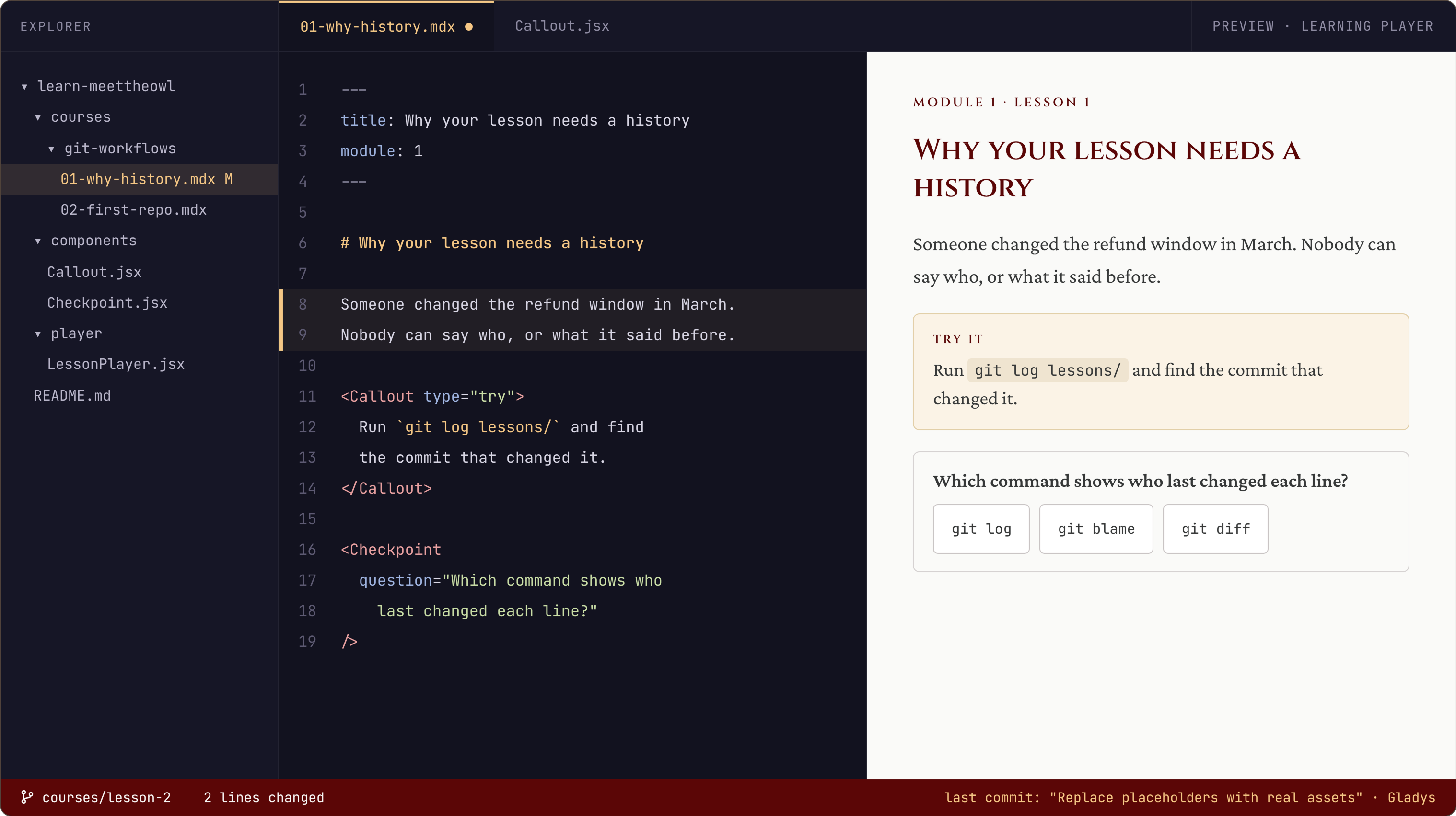
In this case study, I built a Git-based authoring workflow where learning content is written in MDX and can be created or updated directly in a code editor, with or without AI assistance.
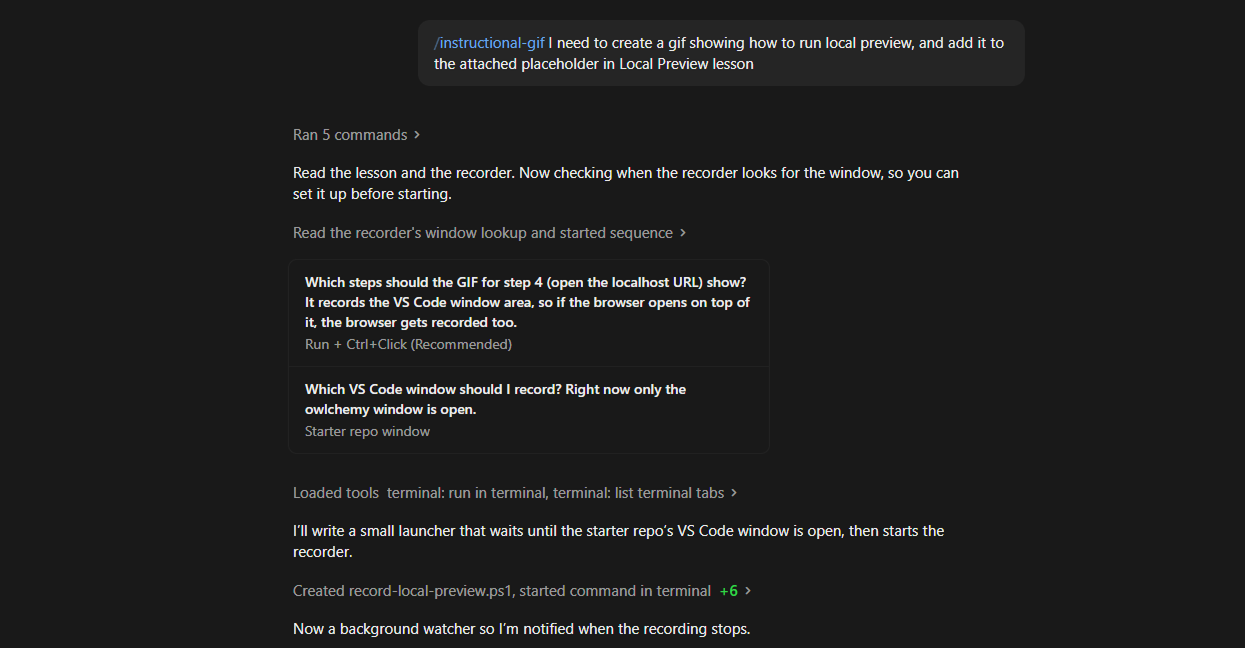
By giving a coding agent access to the project's structure and reusable components, I can ask it to create an interactive visual, incorporate it into an existing lesson, or update content across multiple files.
Move the slider to see an example of AI input and output.
The Why and How
Finding the problem worth solving
I think our industry is well aware of how challenging legacy authoring tools can be and how much work even the smallest update can create. But the problem went beyond the manual work involved in maintaining courses. Product knowledge was spread across teams, but updating Customer Education content still depended on the learning team. Our SCORM-based delivery also limited how easily AI tools could access learning resources, identify outdated content, or make it available through customer-facing AI agents.
I considered automating individual steps in our existing workflow, something our team had done successfully before. But that would only make the same process faster without addressing its limitations.
I wanted to reduce the work an update creates in the first place, while building a foundation for better collaboration, content reuse, and automation across the organization.
Why I returned to Git
When I revisited Git-based authoring after the reorganization, I asked a much more practical question: could this help us maintain a growing learning library without spending so much of our time on administration?
Technical documentation teams had already answered part of that question. Their Docs-as-Code approach uses readable source files, version control, review, and publishing processes that work alongside software development. I saw a way to adapt those practices to learning, with an extra layer for interactive components, learner progress, and tracking.
The attraction wasn't Git by itself. It was what a shared source could make possible:
- Working with AI could be much more cost-effective than with vendor-specific solutions that require MCP connections.
- We could fully own the look and feel, and decide how interaction tracking is managed.
- Shared components could be improved once and used across multiple resources.
- Tests and publishing steps could run consistently instead of relying on the same manual checklist each time.
- Colleagues familiar with development tools could participate without learning our specialist authoring software.
How should we write learning content?
One of the first decisions was how to represent learning content without tying it to a particular authoring interface.
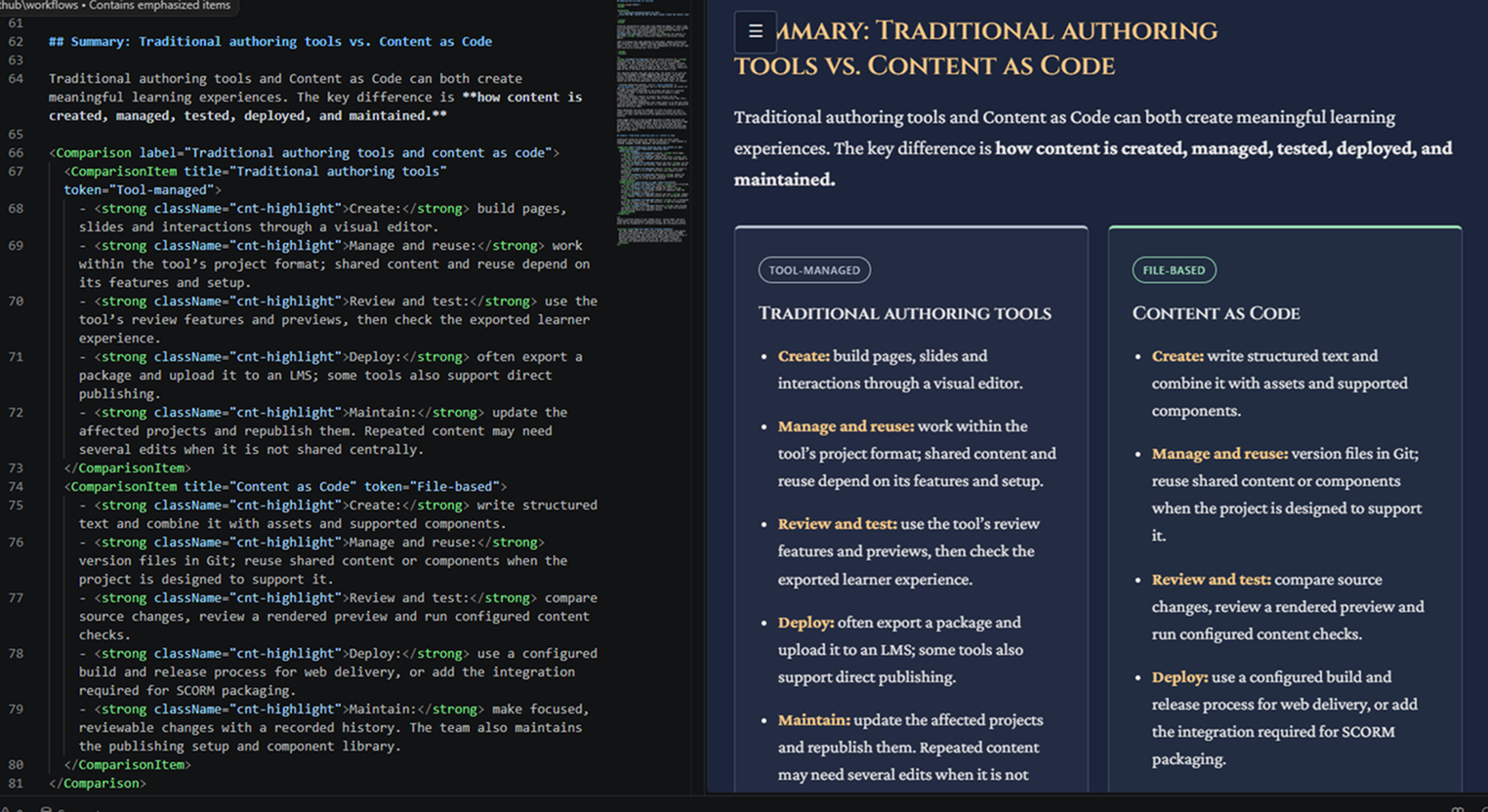
At Mews, we currently use JSON because our localization process already expected structured resources. For this case study, I chose MDX instead. I wanted to test an authoring experience that felt closer to writing a lesson. Markdown is readable, and MDX lets me place predefined React components directly where an interaction belongs. For example, an author can write an explanation and then add a knowledge check or a guided step without describing the entire page as a data object.
Looking back, I think there's an approach I hadn't explored enough: author in MDX, then extract translatable strings into JSON for localization. It could preserve a readable authoring experience while giving translators the structured resources they need. But it also introduces questions around stable translation keys, text embedded in components, and rebuilding the translated lesson safely. I haven't implemented that pipeline, so I see it as a direction to test rather than a solved feature.
The choice of format should follow the people and processes that need to use it. I'm glad the Mews implementation and this case study gave me two different opportunities to test that judgment.
Reusable components
The content still needed a player to render the learning experiences we're used to creating: step-by-step interactions, tabs, knowledge checks, hotspots, and more.
I initially built it with vanilla JavaScript, which received some well-deserved criticism from an engineer. He recommended building the entire learning experience in React, but I had reservations about that approach. Building each course as its own React application would recreate the maintenance problems I was trying to solve. Shared interactions would need to be maintained across courses, and even a simple branding update could mean making changes in multiple places.
After weighing the options, I settled on separating content from presentation: structured content files for individual lessons, and a shared React player with reusable interactive components. This way, we can update content independently, maintain consistent experiences across courses, and roll out improvements or branding changes centrally without rebuilding everything.
Controlled collaboration
A major reason for the shift was to let more people contribute. The people who understand a product feature best should have a straightforward way to help keep its learning resources accurate.
In my role, that can start with a Slack message to our coding agent. A colleague describes an update, and the agent can prepare the relevant changes in Git and open a pull request. This creates a more direct connection between product knowledge, user workflows and pain points, and learning content.
A product explanation can be correct and still make a poor lesson. It might leave out the reason a learner would use a feature, assume knowledge they don't have, or introduce a confusing interaction. That's why the current process includes an explicit review and approval step before a change is published. The learning team remains responsible for what reaches learners, even if the initial contribution came from someone else.
The reviewer needs two views: the source difference, to understand exactly what changed, and the rendered lesson, to experience it as a learner would.
- Requested or identified change
- Edit lesson source and use existing components
- Create a branch and open a pull request
- Validate content, build, and run automated tests
- Review the source diff and the learner-facing lesson
- Approve and merge
- Deploy through the configured release workflow
Test the shared foundation
Reusable components make maintenance easier, but they raise the stakes of a mistake. A change to the player could affect every course that uses it. On an engineer’s recommendation, we added checks at different levels instead of relying on one final manual review:
- Content validation checks course metadata, routes, links, assets, and supported structures so invalid learning source is caught early.
- Build and code checks run through GitHub Actions, alongside automated tests, to identify problems before accepting changes.
- Playwright browser tests exercise the rendered experience: lesson navigation, interactions, progress, and different layouts. These are closer to what a learner actually does than checking that a file compiles.
- Human review checks what code tests cannot: accuracy, relevance, realistic practice, useful feedback, and whether the resource solves the right problem.
Move beyond completion
One of the biggest advantages of building our own tool is having control over both the interactive components we create and how we track learner interactions.
With our previous authoring tool, tracking anything beyond basic completion meant injecting custom JavaScript into individual activities. I had to repeat that work for every interaction I wanted to measure.
Now, the React player handles tracking centrally, using xAPI-format events for selected interactions and course completion. We can define or improve tracking in one place, and those changes apply across every course that uses the relevant components.
Verify unfamiliar technical concepts
I used AI to write most of the code, but I don't simply accept what it produces. I have enough technical understanding to question an approach, but I also recognize where my knowledge is limited, particularly in backend architecture.
I always start with a plan before writing code. I review that plan with different coding agents, challenge their recommendations, and ask questions until I understand the reasoning and trade-offs. I also ask AI to help identify what I should investigate further, then cross-check those areas through Stack Overflow discussions and official documentation.
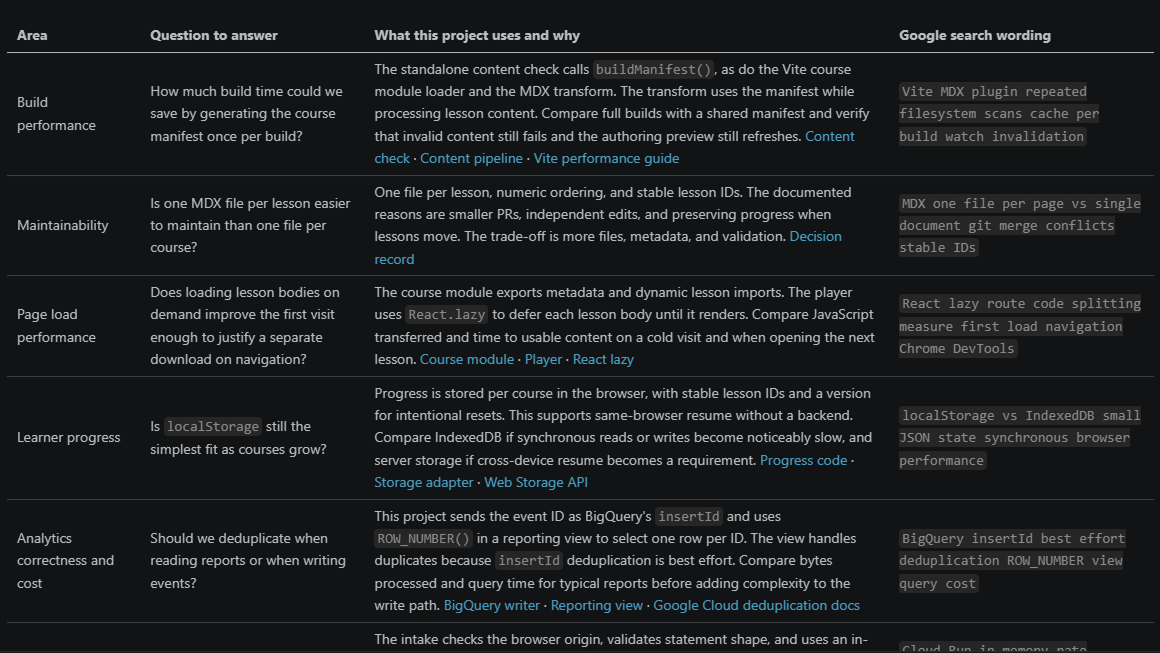
At Mews, I'm also fortunate to have talented software engineers who are genuinely happy to help colleagues like me with less technical experience. I regularly seek their feedback on my plans and technical decisions. Their input has been invaluable in helping me recognize better approaches, avoid unnecessary complexity, and gradually build my own technical judgment.
It's the main reason I feel comfortable taking on backend development for our migration from a third-party LMS to an in-product learning environment. I know I can ask for guidance when needed and learn along the way.
Enable others enough to participate
I've experienced firsthand how much easier it is to work with AI when you understand the basics of the environment you're working in. Knowing how files are structured, which reusable components exist, and what styling variants are available helps me give AI better instructions, review its changes, and create or update courses much more efficiently.
That's why I created Get to Know Git, the first course in this case study. It introduces learning practitioners to the basics of Git-based authoring, with the hope of encouraging more people in the industry to explore and adopt this approach. The course also serves as a practical demonstration of what's possible when we combine instructional design, reusable components, and AI-assisted workflows.
What changed, and what I would revisit
It's still too early to measure the impact of this approach on learner behavior and business outcomes. However, we've already seen significant improvements in our internal workflows: at least 90% less administrative work, saving roughly one to two days per project, and 50–70% faster content development and multilingual delivery.
The benefit I'm most interested in over time is what we do with that capacity: update resources sooner, involve the people closest to the product, give learning professionals more room for needs analysis and design, and build a stronger link between learning and business outcomes.
This personal project is where I can show the thinking behind that change and try alternatives without presenting a portfolio prototype as a production platform. My next questions are already clearer because of what I've built. Can an MDX-to-JSON localization workflow give us the best of both authoring and translation? Could a monitored product change suggest which lessons deserve review, without assuming that every code change needs a course update? What role would AI agents have in the user learning experience itself? And can the data help us prioritize improvements rather than simply count activity? It's a really exciting time to be working in a learning function, and I'm looking forward to exploring these questions further.
From Draft to Published Learning
Review the source and the learner experience
The source changes show exactly what an author or agent changed. The rendered lesson lets a reviewer check whether the instructions make sense, try the interactions, and see what feedback a learner receives. This repo's pull request template keeps the learner-facing change, affected pages, checks, and preview link together.
Catch regressions before merge
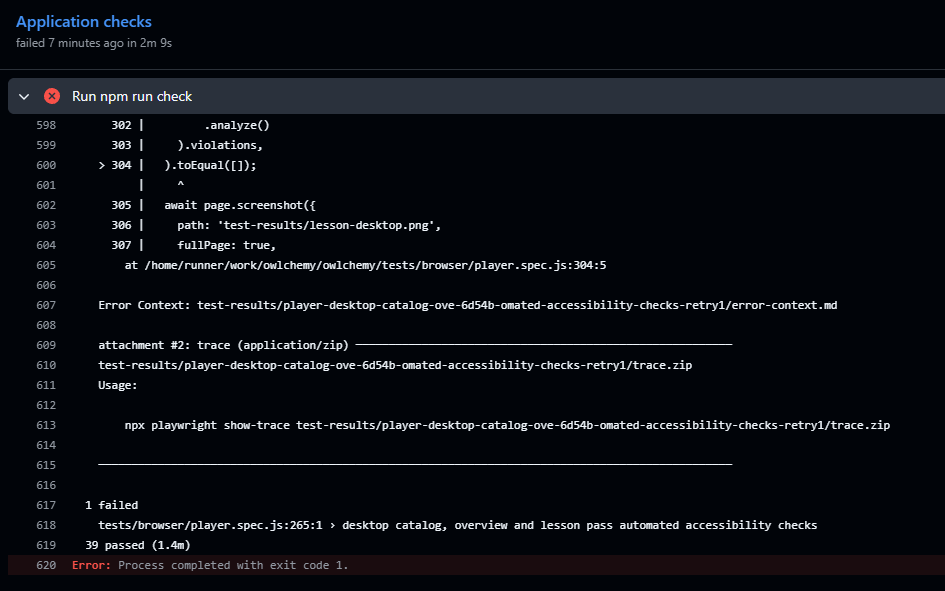
GitHub Actions runs source validation, unit tests, a production build, and Playwright browser tests. The browser tests exercise navigation, learning activities, progress, responsive layouts, and accessibility-related behavior. Automated checks give reviewers specific failures to investigate. Instructional decisions still need a human reviewer.
Publish from reviewed source
Cloudflare Pages builds previews of proposed changes. Each preview below preserves the version from a specific commit, so a reviewer can return to the exact lesson they checked. Git also records the source behind each release.
From a failed contrast check to a passing run
A browser test flagged low contrast in the Markdown animation. Increasing the opacity of the muted code text raised its contrast from 4.18:1 to 5.3:1, above the 4.5:1 threshold. The next CI run passed.
Rethinking Learning Tracking
SCORM can report completion and scores to an LMS. In this project, I wanted to explore questions about what learners do during a lesson and where they might need better guidance. I built event definitions for lesson completion and selected interactions using the xAPI format, with a Google Cloud Function to validate events and BigQuery as the intended destination for analysis.
For example, I could compare whether learners reach the commit exercise after choosing GitHub Desktop or Terminal. If fewer learners on one path reach it, I’d review the setup and instructions on that path.
What Owning the Player Makes Possible
Concept lessons and guided practice
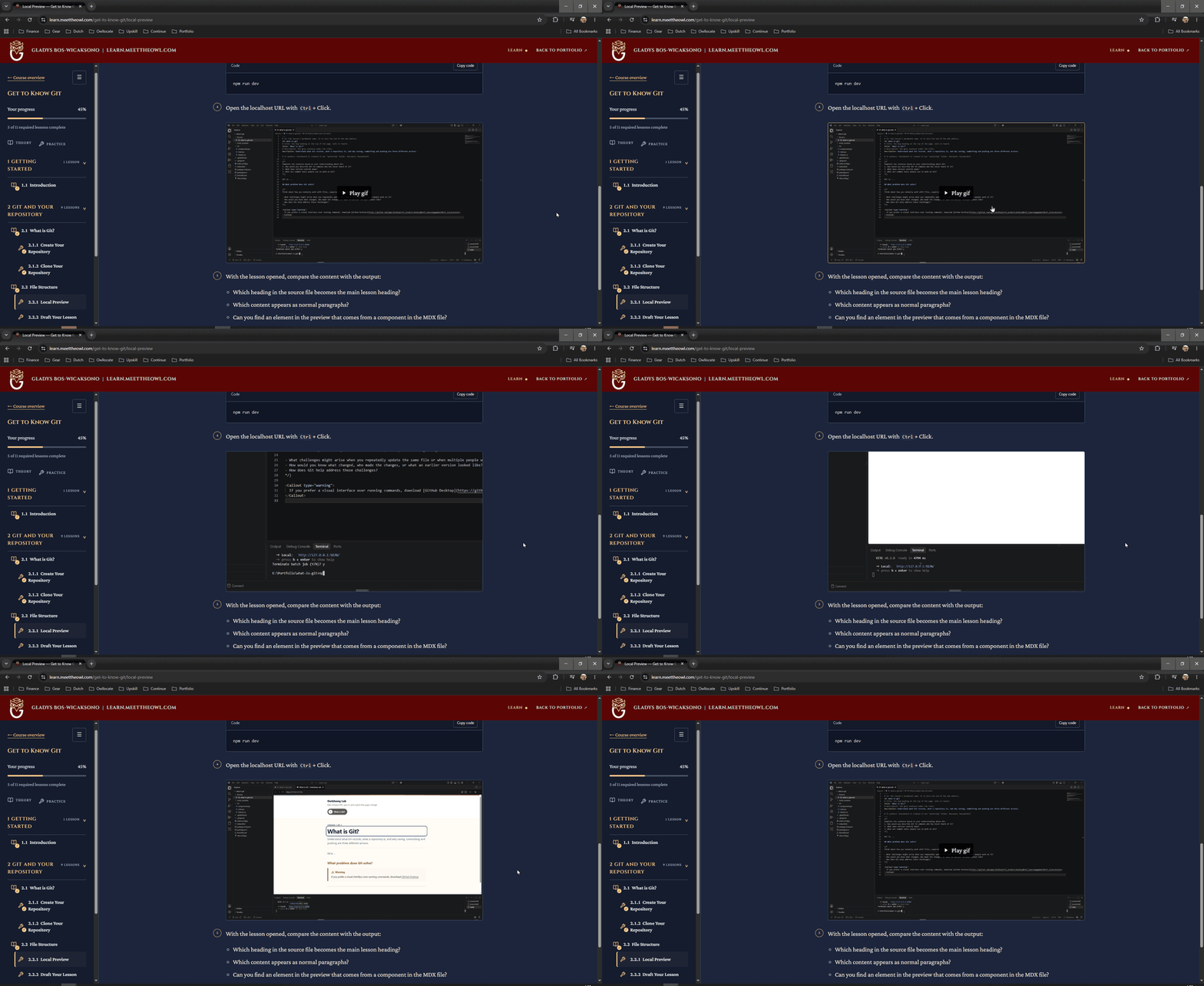
I built Get to Know Git for learning professionals. Short lessons explain concepts such as the difference between saving, committing, and pushing. In separate hands-on exercises, learners work in their own copy of a starter repository, preview a lesson they’ve edited, and check their changes in Git.
One goal, two practice paths
Learners choose GitHub Desktop or Terminal when they clone their repository. The player remembers that choice and shows the matching instructions when they commit and push. Both paths lead to the same outcome: a lesson change the learner can explain, preview, and share.
What Changed at Mews
Even a small UI update used to mean opening each affected course, repeating the edit, exporting a new package, and republishing it to the LMS. With shared content, we can make a common update once and reuse it across courses. A branding change still calls for an audit to make sure the new brand appears correctly throughout the library.
Localization could take up to two days in Articulate Storyline. When translated text ran longer than the original, I had to resize text boxes and other objects by hand. Now the custom player renders structured translations in layouts that adapt to the text, removing that manual resizing step.
At Mews, we reduced the administrative work of maintaining and republishing courses by at least 90%, saving roughly one to two days per project. With structured content, reusable components, and AI-assisted authoring, content production and multilingual delivery were 50–70% faster than with the previous workflow.
Product experts now have a direct way to start an update, while the learning team remains responsible for what reaches learners. Working in Git also gave us the technical foundation to begin moving learning from a third-party LMS into the Mews product.
The Tool Is Only Part of the Story
A more efficient authoring workflow means little if we aren't creating effective learning experiences in the first place. Technology can help us build and deliver learning faster, but instructional design expertise is what makes that learning meaningful.
Want to see how I apply that expertise? My Owllocate case study shows my approach to designing learning experiences, from identifying the problem to making instructional decisions.
Explore Getting Started with Owllocate